Best Language Trackers Compared (2026): LangTrack, Toggl, Anki & More
Also in: Deutsch · Русский · 简体中文 · Italiano · Português · Tiếng Việt · Español · 日本語 · 한국어 · 繁體中文
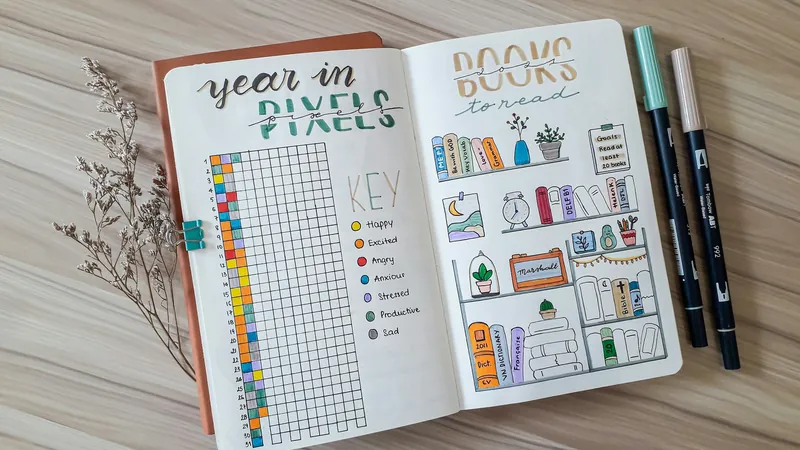
"Which tracker should I use?" is a question worth ten minutes of research, not ten weeks. Here's a clean comparison of the credible options as of November 2026, focused on what they do for serious language learners.
The quick answer
Log every kind of study in one place: LangTrack. Count only what you watch, including Netflix and Prime Video: Tracking Languages. Already use a time tracker for work: Toggl Track. Study almost only with flashcards: Anki's own stats. Want total control: a spreadsheet or Notion.
We make LangTrack, so weigh this comparison with that in mind. Details for other products come from their own sites and can change, so check before you commit.
| Tool | What it tracks | Automatic tracking | Streaks | Price |
|---|---|---|---|---|
| LangTrack | All study, by language and activity | YouTube, with the Chrome extension | Yes | Free for one language; Pro adds more |
| Tracking Languages | Video you watch | Netflix, YouTube and Prime Video in Chrome | Yes | See its site |
| Toggl Track | Any time, using your own projects and tags | Not by language | No | Free plan and paid plans |
| Anki | Flashcard reviews and time | Reviews only | Through add-ons | Free, except the iOS app |
| Notion or Airtable | Whatever you build | No | If you build them | Free plan and paid plans |
| Habit apps | Whether you studied today | No | Yes | Varies |
| Spreadsheet | Whatever you enter | No | If you build them | Free |
On this page
What we're evaluating
For a tracker to genuinely help over months, not weeks, it needs:
- Two-tap logging: friction-free post-session entry
- Streaks: motivation infrastructure
- Activity tags: input vs output visibility
- Multi-language: most polyglots study more than one
- Visual progress: weekly charts, heatmaps, year view
- Data export: don't get locked in
The credible options
LangTrack
Built specifically for language learning. All six features. Multi-language native. Free for one language; Pro adds unlimited languages. Web-based with mobile-first UX. Year heatmap, streak medallion, daily rings, activity-by-language breakdowns. Exports to CSV. The free LangTrack for Chrome extension logs YouTube immersion automatically, so watching adds up without a timer.
Best for: anyone studying one or more languages and wanting a tool built for that exact use case. Here's how the LangTrack language learning tracker works, or go straight to app.langtrack.app.
Tracking Languages
A Chrome extension that counts time spent watching Netflix, YouTube and Prime Video in the languages you're learning, with no buttons to press. Daily goals, streaks and a leaderboard, plus export to Dreaming Spanish and Dreaming French. Its site lists a one-time price of £9.99, while its store listing shows a subscription, so check at checkout. It's built around watching, so reading, speaking and flashcards need another home.
Best for: people whose immersion is mostly streaming on a computer, especially Netflix and Prime Video, which LangTrack's extension doesn't cover yet.
Toggl Track
General-purpose time tracker. Powerful but not language-specific. No streaks, no language tags out of the box (you can use projects/tags as a workaround). Excellent reporting.
Best for: people who already use Toggl for work and want to tack language study onto it.
Notion / Airtable templates
Custom-built tracker tables. Maximum flexibility. Setup time: 1–3 hours initially. Maintenance: ongoing as your needs evolve.
Best for: power users who want everything custom and don't mind the friction.
Anki
Not really a "tracker" but does count cards reviewed and time spent. If your study is mostly flashcards, Anki's stats screen is enough.
Best for: SRS-heavy learners who don't track other activities.
Habit-tracker apps (Habitica, Streaks, etc.)
Track "did I study today" as a binary habit. No minutes, no activities. Simplest possible setup.
Best for: very early-stage learners who just need to install the daily habit.
Spreadsheet
Free, totally custom, full data ownership. Spreadsheet vs tracker covers the tradeoffs.
Best for: people who genuinely enjoy spreadsheets as part of the hobby.
The decision tree
- Studying multiple languages? Need multi-language native. Rules out Anki-only and basic habit trackers.
- Want to see input/output mix? Need activity tags. Rules out simple habit trackers.
- Hate setup? Need a pre-built solution. Rules out Notion/Airtable/spreadsheets.
- Studying mostly flashcards? Anki may be enough.
- Mostly streaming on a computer? Consider automatic tracking. Tracking Languages covers Netflix and Prime Video; LangTrack for Chrome covers YouTube and sits alongside your other study.
What doesn't matter
- Whether the tracker has 47 features or 12. Friction matters more.
- Whether it has AI insights. The insights you actually need are obvious from a heatmap.
- Whether it has social features. Most language learners don't use them.
What matters most
Will you still be using it in 6 months? That's the only question. Pick the one with the lowest perceived friction for you, install it, log your next session. Tracker vs spreadsheet covers the friction tradeoff in detail.
The simplest tracker you'll ever use
No spreadsheet. No setup. Just open it and log.
Start tracking — free